
Enjoying Beam Drive Car Crash Test Simulator?
Join our community to rate games and chat with other players!Description
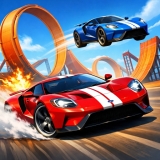
Get ready for the most exciting car crash adventure ever! If you love smashing, wrecking, and demolishing cars, this is the perfect game for you. Experience super realistic car crashes with amazing physics that make every crash feel real and thrilling.
Smash through walls, flip cars, and watch them crumble into pieces in crash tests, demolition derbies, and fun sandbox modes. No rules—just pure destruction! You can even create your own wild crash scenes and see how much chaos you can cause.
The game’s awesome impact mechanics make every crash look and feel like the real thing. Whether you’re crashing into other cars, jumping off ramps, or testing how much damage a car can take, you’ll never get bored.
Perfect for kids who love action and excitement, this ultimate crash simulator lets you explore endless ways to destroy vehicles safely and have a blast. Ready to start smashing? Jump in and let the destruction begin!
Smash through walls, flip cars, and watch them crumble into pieces in crash tests, demolition derbies, and fun sandbox modes. No rules—just pure destruction! You can even create your own wild crash scenes and see how much chaos you can cause.
The game’s awesome impact mechanics make every crash look and feel like the real thing. Whether you’re crashing into other cars, jumping off ramps, or testing how much damage a car can take, you’ll never get bored.
Perfect for kids who love action and excitement, this ultimate crash simulator lets you explore endless ways to destroy vehicles safely and have a blast. Ready to start smashing? Jump in and let the destruction begin!
How to Play
**How to Control Your Vehicle in the Game – Easy Guide for Kids!**
Hey, awesome gamers! Ready to drive, walk, or fly in your favorite game? Here’s a super simple guide to help you control your vehicle like a pro. Let’s jump in!
### **Moving Around – WASD Keys**
- **W** = Move forward (zoom ahead!)
- **A** = Turn left (steer to the left side)
- **S** = Move backward (slow down or reverse)
- **D** = Turn right (steer to the right side)
### **Camera Controls – See Everything!**
- **Right Mouse Button** = Rotate the camera (look around while driving or walking)
- **C Key** = Change camera view (switch between different angles for the best view!)
- **B Key** = Look behind (check what’s behind you safely)
### **Driving Fun – Extra Cool Moves!**
- **Spacebar** = Handbrake (make a quick stop or drift!)
- **H Key** = Honk the horn (beep beep! let others know you’re coming)
- **J Key** = Hazard lights (flash your lights for safety or fun!)
- **Z Key** = Left turn signal (show you’re turning left)
- **X Key** = Right turn signal (show you’re turning right)
### **Playing on a Phone or Tablet?**
No worries! If you’re using a mobile device, just use the **on-screen buttons** inside the game. Tap and swipe to control your vehicle easily!
Now you’re all set to zoom, fly, and explore! Have fun, and don’t forget to share your high scores with friends! 🚗✨🚀
Hey, awesome gamers! Ready to drive, walk, or fly in your favorite game? Here’s a super simple guide to help you control your vehicle like a pro. Let’s jump in!
### **Moving Around – WASD Keys**
- **W** = Move forward (zoom ahead!)
- **A** = Turn left (steer to the left side)
- **S** = Move backward (slow down or reverse)
- **D** = Turn right (steer to the right side)
### **Camera Controls – See Everything!**
- **Right Mouse Button** = Rotate the camera (look around while driving or walking)
- **C Key** = Change camera view (switch between different angles for the best view!)
- **B Key** = Look behind (check what’s behind you safely)
### **Driving Fun – Extra Cool Moves!**
- **Spacebar** = Handbrake (make a quick stop or drift!)
- **H Key** = Honk the horn (beep beep! let others know you’re coming)
- **J Key** = Hazard lights (flash your lights for safety or fun!)
- **Z Key** = Left turn signal (show you’re turning left)
- **X Key** = Right turn signal (show you’re turning right)
### **Playing on a Phone or Tablet?**
No worries! If you’re using a mobile device, just use the **on-screen buttons** inside the game. Tap and swipe to control your vehicle easily!
Now you’re all set to zoom, fly, and explore! Have fun, and don’t forget to share your high scores with friends! 🚗✨🚀
Tips
- Reserve your nitro for stretches where you can exploit it fully for speed gains.
- Enhance your vehicle's handling and traction to navigate through gusty roads.
- Master the ideal drift angles to sustain high speeds through turns in Beam Drive Car Crash Test Simulator.
FAQ
- Q What are the techniques for handling and drifting in Beam Drive Car Crash Test Simulator on RosGames?
-
A In Beam Drive Car Crash Test Simulator on RosGames, you can control your vehicle with arrow keys or WASD. To drift, gently release the gas or press the spacebar while navigating tight turns, keeping your speed consistent.
- Q Are there car upgrades available in Beam Drive Car Crash Test Simulator on RosGames?
-
A Yes, in Beam Drive Car Crash Test Simulator on RosGames, you can earn credits by winning races. These credits can be used to enhance your vehicle's engine, tires, nitro boost, and to personalize your car's paint and wheels.







Comments