Enjoying CS: Chaos Squad?
Join our community to rate games and chat with other players!Description
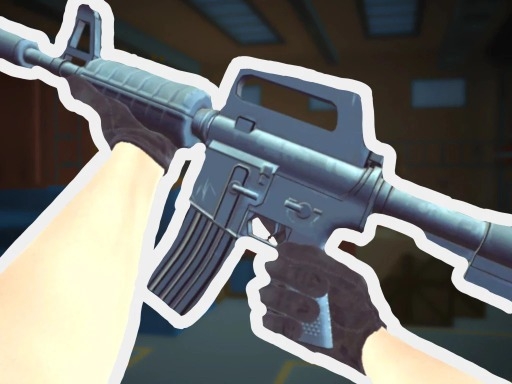
CS: Chaos Squad is an awesome 5v5 team shooter where you can show off your tactical skills and quick reflexes! Join fast-paced battles, buy cool weapons and gear each round, and adapt your strategy to outsmart your opponents. The ranking system keeps track of your progress, so you can climb the leaderboard and become the ultimate champion! Work with your squad, build teamwork, and prove you're the best on the battlefield. Ready for action? Let's play CS: Chaos Squad!
How to Play
Keyboard:
WASD - move around
M2 - aim your weapon
M1 - shoot
T - check out your weapon
J - close helper
Space - jump
TAB - see scores
P - open menu
1-2 - switch weapons
Mobile:
Tap buttons to control your character
Aim or tap the shoot button to fire automatically!
WASD - move around
M2 - aim your weapon
M1 - shoot
T - check out your weapon
J - close helper
Space - jump
TAB - see scores
P - open menu
1-2 - switch weapons
Mobile:
Tap buttons to control your character
Aim or tap the shoot button to fire automatically!
Tips
- Be attentive to the sound of footsteps to predict enemy movements and positions.
- Reload your firearm while concealed to prevent being vulnerable.
- Position your crosshair at the head level to land crucial headshots in CS: Chaos Squad.
FAQ
- Q What are the fundamental controls in CS: Chaos Squad on RosGames?
-
A On RosGames, CS: Chaos Squad uses WASD or arrow keys for movement and the mouse cursor for aiming and shooting. Number keys are used to switch weapons, and the R key reloads your magazine when it's empty.
- Q How can I enhance my shooting precision in CS: Chaos Squad on RosGames?
-
A To improve your aim in CS: Chaos Squad on RosGames, aim for head-level crosshairs and stand still for a brief moment while shooting to minimize recoil. Upgrade your weaponry and train in the practice modes to master the shooting techniques.









Comments