Enjoying ZombCopter?
Join our community to rate games and chat with other players!Description
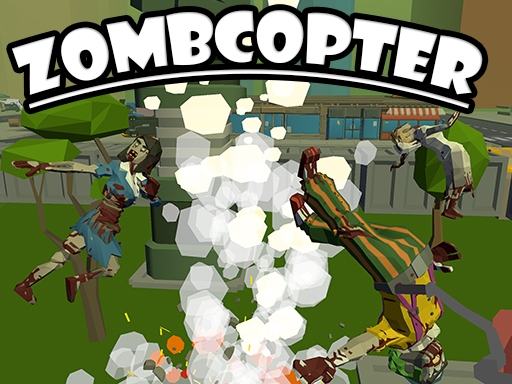
Get ready for an epic adventure in ZombCopter, a super cool helicopter packed with awesome weapons! Your mission is to protect the last City Hall from a never-ending army of silly zombies. As the brave pilot of ZombCopter, it's your job to blast away waves of funny-looking zombies. You'll have tons of crazy upgrades to help you win this wild battle against the undead. Laugh, shoot, and upgrade your way through the wackiest zombie apocalypse ever in ZombCopter!
How to Play
Keyboard
W - move forwards
S - move backwards
A - move left
D - move right
R - reload current weapon
L - release cursor and pause menu
1 - select first weapon
2 - select second weapon
3 - select third weapon
4 - select fourth weapon
Mouse
Left click - primary shoot
Right click - secondary function
Scroll wheel - select previous/next weapon
W - move forwards
S - move backwards
A - move left
D - move right
R - reload current weapon
L - release cursor and pause menu
1 - select first weapon
2 - select second weapon
3 - select third weapon
4 - select fourth weapon
Mouse
Left click - primary shoot
Right click - secondary function
Scroll wheel - select previous/next weapon
Tips
- Reload your firearm while concealed to prevent being vulnerable.
- Position your crosshair at the head level to land crucial headshots in ZombCopter.
- Be attentive to the sound of footsteps to predict enemy movements and positions.
FAQ
- Q What are the fundamental controls in ZombCopter on RosGames?
-
A On RosGames, ZombCopter uses WASD or arrow keys for movement and the mouse cursor for aiming and shooting. Number keys are used to switch weapons, and the R key reloads your magazine when it's empty.
- Q How can I enhance my shooting precision in ZombCopter on RosGames?
-
A To improve your aim in ZombCopter on RosGames, aim for head-level crosshairs and stand still for a brief moment while shooting to minimize recoil. Upgrade your weaponry and train in the practice modes to master the shooting techniques.







Comments