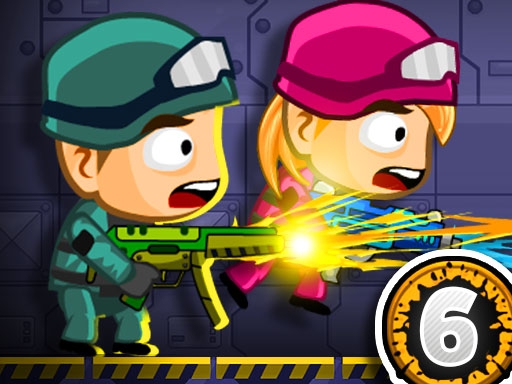
Enjoying Zombie Parade Defense 6?
Join our community to rate games and chat with other players!Description
Get ready for the coolest zombie adventure yet! Zombie Parade Defense is back with its 6th episode, and this time you have to defend in 10 exciting stages. Watch out, because the enemies will get stronger and trickier with each level! Don't forget to visit the "Market" to upgrade your weapons and get extra health bars. Can you stop the zombie parade? Let's find out!
How to Play
Player 1:
Move: "W, A, S, D"
Hit: "C"
Grenade: "V"
Reload: "X"
Jump: "W" (Walk on the wall)
Switch weapon: "Q-E"
Player 2:
Move: "ARROW KEYS"
Hit: "L"
Grenade: "K"
Reload: "J"
Jump: "UP ARROW KEY" (Walk on the wall)
Switch weapon: "P"
Move: "W, A, S, D"
Hit: "C"
Grenade: "V"
Reload: "X"
Jump: "W" (Walk on the wall)
Switch weapon: "Q-E"
Player 2:
Move: "ARROW KEYS"
Hit: "L"
Grenade: "K"
Reload: "J"
Jump: "UP ARROW KEY" (Walk on the wall)
Switch weapon: "P"
Tips
- Reload your firearm while concealed to prevent being vulnerable.
- Position your crosshair at the head level to land crucial headshots in Zombie Parade Defense 6.
- Be attentive to the sound of footsteps to predict enemy movements and positions.
FAQ
- Q What are the fundamental controls in Zombie Parade Defense 6 on RosGames?
-
A On RosGames, Zombie Parade Defense 6 uses WASD or arrow keys for movement and the mouse cursor for aiming and shooting. Number keys are used to switch weapons, and the R key reloads your magazine when it's empty.
- Q How can I enhance my shooting precision in Zombie Parade Defense 6 on RosGames?
-
A To improve your aim in Zombie Parade Defense 6 on RosGames, aim for head-level crosshairs and stand still for a brief moment while shooting to minimize recoil. Upgrade your weaponry and train in the practice modes to master the shooting techniques.






Comments