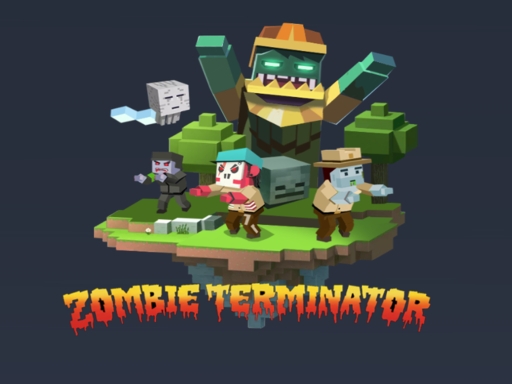
Enjoying Zombie Terminator?
Join our community to rate games and chat with other players!Description
Zombie Terminator is an awesome first-person shooter game where you become a brave survivor in a world full of zombies! Your mission is to stay alive and hunt down zombies in this exciting post-apocalyptic adventure. The game is super popular because it has thrilling battles and tons of cool weapons to choose from. Get ready for action-packed fun and show those zombies who’s boss! Jump in now and start your epic survival journey!
How to Play
**Mouse or Touchscreen: How to Play Your Favorite Games Easily!**
Hey, super gamers! 🎮 Are you ready to have fun? Before you jump into exciting games, let’s talk about how to control them. Do you like using a **mouse** or a **touchscreen**? Both are awesome, but they work a little differently. Let’s find out which one is best for you!
### 🖱️ **Using a Mouse – Click and Play!**
If you’re playing on a computer, you’ll probably use a **mouse**. It’s super easy! Just move the mouse around to move your character or select things. Want to jump? Click the left button! Need to pick up an item? Click again!
Some games even use the **right-click** button for special actions. Keep your hand steady, and you’ll become a mouse master in no time!
### 👆 **Using a Touchscreen – Tap and Swipe!**
Do you love playing on a tablet or phone? Then you’ll use a **touchscreen**! No mouse needed—just your fingers!
- **Tap** to jump, select, or interact.
- **Swipe** left or right to move.
- **Pinch** to zoom in or out (great for puzzle games!).
Touchscreens make games feel like magic—just touch and play!
### 🎯 **Which One Should You Choose?**
- **Mouse = Best for fast-paced games** like racing or shooting!
- **Touchscreen = Perfect for casual games** like puzzles or dress-up!
Some games work with **both**, so pick whatever feels comfy!
### 🚀 **Ready to Play?**
Now that you know how to control games, it’s time to start! Pick your favorite game, grab your mouse or tablet, and let the fun begin!
Happy gaming, super stars! ✨🎮
Hey, super gamers! 🎮 Are you ready to have fun? Before you jump into exciting games, let’s talk about how to control them. Do you like using a **mouse** or a **touchscreen**? Both are awesome, but they work a little differently. Let’s find out which one is best for you!
### 🖱️ **Using a Mouse – Click and Play!**
If you’re playing on a computer, you’ll probably use a **mouse**. It’s super easy! Just move the mouse around to move your character or select things. Want to jump? Click the left button! Need to pick up an item? Click again!
Some games even use the **right-click** button for special actions. Keep your hand steady, and you’ll become a mouse master in no time!
### 👆 **Using a Touchscreen – Tap and Swipe!**
Do you love playing on a tablet or phone? Then you’ll use a **touchscreen**! No mouse needed—just your fingers!
- **Tap** to jump, select, or interact.
- **Swipe** left or right to move.
- **Pinch** to zoom in or out (great for puzzle games!).
Touchscreens make games feel like magic—just touch and play!
### 🎯 **Which One Should You Choose?**
- **Mouse = Best for fast-paced games** like racing or shooting!
- **Touchscreen = Perfect for casual games** like puzzles or dress-up!
Some games work with **both**, so pick whatever feels comfy!
### 🚀 **Ready to Play?**
Now that you know how to control games, it’s time to start! Pick your favorite game, grab your mouse or tablet, and let the fun begin!
Happy gaming, super stars! ✨🎮
Tips
- Reload your firearm while concealed to prevent being vulnerable.
- Be attentive to the sound of footsteps to predict enemy movements and positions.
- Position your crosshair at the head level to land crucial headshots in Zombie Terminator.
FAQ
- Q What are the fundamental controls in Zombie Terminator on RosGames?
-
A On RosGames, Zombie Terminator uses WASD or arrow keys for movement and the mouse cursor for aiming and shooting. Number keys are used to switch weapons, and the R key reloads your magazine when it's empty.
- Q How can I enhance my shooting precision in Zombie Terminator on RosGames?
-
A To improve your aim in Zombie Terminator on RosGames, aim for head-level crosshairs and stand still for a brief moment while shooting to minimize recoil. Upgrade your weaponry and train in the practice modes to master the shooting techniques.


Comments